
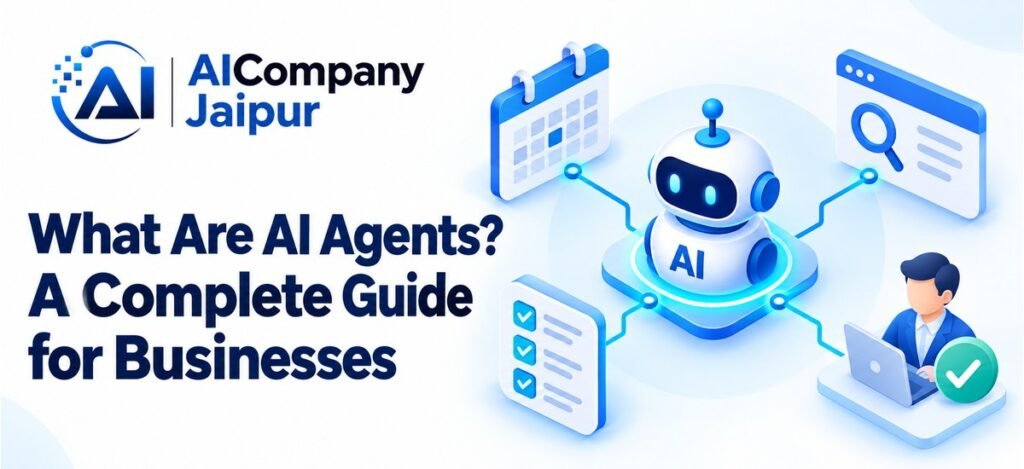
What are AI agents? In a business setting, they are software systems that use AI to choose and carry out steps towards a defined goal, often by interacting with tools and information sources.
A basic chatbot may answer a question. An agent-connected application might look up the relevant record, decide what information is missing, and prepare the next action. Its actual capabilities depend on the tools, permissions, and boundaries built into the system.
For businesses, the attraction is coordinated work across several steps. The challenge is making that work reliable, observable, and appropriately controlled.
What Makes a System an AI Agent?
Definitions vary, but a useful distinction is whether AI helps determine the next step rather than only producing a response inside a fixed sequence.
An agent may receive a goal, inspect available information, choose an authorised tool, observe its result, and continue or stop. It can also ask for clarification or request human approval.
IBM’s introduction to AI agents describes goal-oriented systems that use available tools to perform tasks. Business deployments should specify exactly which tasks and tools are in scope.
Autonomy is a design choice, not an instruction to remove every approval. An agent can be useful while remaining limited to draft outputs.
How an AI Agent Works
Consider an internal assistant asked to prepare a response to an order-status enquiry.
- It identifies the customer’s request.
- It checks whether an order identifier is available.
- It retrieves the authorised order record.
- It uses the verified status to prepare a reply.
- It routes exceptions or requests approval before sending.
The model does not magically know the order status. A controlled software connection provides it. Likewise, sending a message requires a separate authorised action.
Good designs set limits on steps, retries, time, and spending. If the task cannot be completed within those limits, the agent should stop and explain what needs attention.
The Main Components
Goal and Instructions
The system needs a clear task and boundaries. “Prepare a service request from this enquiry” is easier to manage than “handle all customer operations.”
Model
Many current agents use a language model to interpret requests and choose actions. The model’s output still needs validation before a tool executes it.
Tools and Integrations
Tools connect the application to databases, calendars, ticketing software, or other systems. Give each tool a narrowly defined purpose and restricted permissions.
Context and State
The agent needs enough information to know what has already happened. That may include the current task, tool results, and approved records.
Persistent memory is optional. If used, decide what is stored, for how long, and who can inspect or remove it.
Controls and Monitoring
Record important actions, validate inputs, and provide a human escalation path. The business should be able to pause the workflow and investigate an error.
AI Agents vs Chatbots and Traditional Workflows
| System | Typical role | Example |
|---|---|---|
| Chatbot | Conversational interaction | Answer a policy question |
| Fixed workflow | Execute predefined steps | Send a reminder after a deadline |
| AI agent | Select steps using context and authorised tools | Gather missing enquiry details and prepare a service ticket |
These categories can overlap. A chatbot may provide the interface for an agent, and an agent may operate within a larger rule-based workflow.
If a task follows a predictable sequence, ordinary automation may be simpler. Agent behaviour is useful when the next step depends on interpreting information or handling varied requests.
Useful Business Applications
Customer Service Preparation
An agent can gather ticket history, retrieve the relevant policy, and prepare a suggested response. Escalation should remain available for complaints, uncertainty, and requests outside its scope.
Sales Administration
A sales agent can collect enquiry details, create a draft CRM record, and suggest follow-up tasks. It should not invent a customer’s budget or commit to discounts without an approved rule.
Internal Service Requests
An employee assistant can ask clarifying questions and route a facilities or IT request. Authentication and permission checks must remain part of the surrounding software.
Operations Coordination
An agent can assemble information for a supervisor from several approved systems. For example, it might identify a missing document and prepare a reminder for review.
These are candidate applications, not guaranteed capabilities of every agent product. Evaluate each against your actual workflow.
Benefits and Trade-Offs
AI agents can reduce the effort of gathering information and coordinating steps. Employees may receive a more complete task package instead of switching repeatedly between systems.
However, a sequence of actions creates more opportunities for errors than a single response. A wrong customer identifier can affect every later step.
Measure completed tasks, correction rates, approval time, and total cost. Track whether the agent improves the final outcome rather than only counting tool calls or messages.
Start with narrow permissions. Granting broad access to make a demonstration easier can make operational mistakes harder to contain.
Risks Businesses Should Plan For
An agent can misinterpret a request, generate unsupported information, repeat an action, or follow misleading instructions embedded in incoming content. Tool failures can also leave a task partly completed.
Build safeguards around those possibilities:
- Separate read access from write access.
- Require approval for payments and binding commitments.
- Validate identifiers and action parameters.
- Prevent duplicate updates using task identifiers.
- Set retry and execution limits.
- Keep logs that support investigation without unnecessary sensitive data.
The NIST AI Risk Management Framework provides a broader reference for managing these systems responsibly.
How to Introduce an Agent
Choose a specific workflow with understandable exceptions. Map the sources, actions, and approval points before selecting a platform.
Test with representative cases, including incomplete requests and failed integrations. Begin with drafts or recommendations that a person reviews.
A Jaipur service company could first use an agent to prepare job tickets without assigning technicians automatically. Once the preparation step proves useful, the business can separately evaluate scheduling assistance.
Assign a business owner and technical maintainer. Both are needed to keep instructions, integrations, and source information current.
Frequently Asked Questions
Do AI agents always work independently?
No. They can request clarification and approval. Limited autonomy is often the sensible starting point for a business deployment.
Does an agent learn automatically from every task?
Not necessarily. Learning, memory, and model updates are separate features. Confirm what the chosen system actually does.
Can agents replace all automation tools?
No. Reliable rules and integrations remain valuable. Agents can coordinate selected parts of a process while ordinary software handles exact execution.
Conclusion
AI agents combine interpretation with authorised actions. Their value comes from completing a well-defined workflow with clear controls, not from unrestricted access.
To assess a suitable agent project, contact AI Company Jaipur with the process, systems, and approval requirements you want to support.