
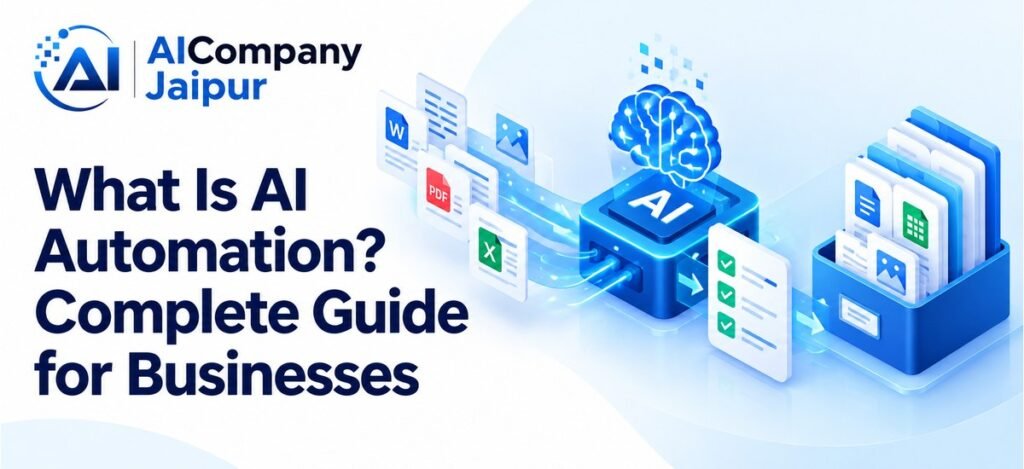
What is AI automation? It is the use of artificial intelligence within a workflow to interpret information, produce an output, or support a decision before software carries out the next step.
An example is a system that reads an incoming customer message, identifies its topic, and routes it to the appropriate support queue. Another is a tool that extracts invoice details into a record for review.
AI automation can support small tasks or larger processes. Its value depends on whether the complete workflow becomes more accurate, useful, or efficient after implementation and review costs are included.
How AI Automation Works
A typical workflow has an input, an AI processing step, validation, an action, and a way to handle exceptions.
- Input: An enquiry, document, image, or business record arrives.
- Interpretation: A model classifies it, extracts fields, drafts content, or predicts a value.
- Validation: Software checks the output against defined requirements.
- Action: The system creates a draft record, routes work, or performs an authorised step.
- Review: Uncertain or consequential cases go to a person.
Not every workflow needs every model type. A document extraction process can be useful without a chatbot or an autonomous agent.
IBM’s overview of intelligent automation describes combining AI with established process and automation technologies. The surrounding rules and integrations remain important.
AI Automation vs Ordinary Automation
Ordinary automation follows explicit conditions: send a reminder on a date, copy a completed form into a database, or calculate a total using known rules.
AI adds interpretation when the input varies. It might recognise that “my parcel has not arrived” and “where is my order?” relate to similar customer needs.
A reliable design uses each method where it fits. Keep exact arithmetic and permission checks in deterministic software. Use a tested model for tasks such as language classification.
Adding AI to a fixed, already reliable process may create unnecessary expense. Begin with the business problem rather than a requirement to use AI everywhere.
The Main Types of AI Used in Automation
Classification
A classifier assigns an input to a category, such as an enquiry type or document class. Define the allowed categories and a fallback for unclear cases.
Extraction
Extraction tools identify information such as invoice numbers, dates, or requested products. Check mandatory fields, duplicates, and calculations before using the result.
Prediction
A predictive model estimates an outcome using suitable data. Demand planning is one possible application, but forecasts need evaluation against simpler baselines.
Generation
Generative models draft text or other material. A customer reply should be grounded in verified policies and reviewed when it makes commitments.
Agent Coordination
An agent can use tools to choose and carry out several steps. This needs additional limits around permissions, execution, and recovery. Agents are one approach to AI automation, not a requirement for all of it.
Practical Business Examples
Customer Enquiry Routing
A training provider could categorise incoming enquiries by course or request type. A workflow then assigns the message to a staff member.
Staff should review ambiguous messages, and urgent escalation rules should remain explicit. Routing an enquiry correctly does not mean its question has been answered.
Invoice Data Preparation
A distributor might extract supplier invoice details into a draft accounting record. Rules check totals and duplicate identifiers, while employees confirm uncertain fields.
Keep payment approval separate. Reading an invoice is a different responsibility from authorising money to leave the business.
Internal Document Search
An employee assistant could retrieve information from approved procedures and return source-linked answers. It should respect existing document permissions.
When information is missing or contradictory, the system should explain that limitation instead of producing an authoritative-sounding policy.
Marketing Content Drafts
A team can generate initial copy from approved specifications. Editors check accuracy, brand voice, and customer relevance before publication.
Generated claims about product performance, certifications, or customer results must be verified. A faster draft is useful only when the final content meets the required standard.
Benefits Worth Measuring
Businesses may gain faster preparation, less repeated data entry, clearer routing, or easier access to information. These are opportunities to test rather than guaranteed outcomes.
Choose measures linked to the task:
- Time from input to approved completion.
- Percentage of records requiring correction.
- Number of unresolved exceptions.
- Employee review effort.
- Customer experience where relevant.
- Total monthly operating cost.
Compare these measures with the existing process. Counting generated outputs or model calls alone says little about business value.
What AI Automation Cannot Guarantee
AI systems can make mistakes, especially with incomplete information, unfamiliar inputs, or misleading instructions. Generated responses may contain invented details.
Models do not automatically learn from every employee correction. Updates to prompts, source documents, and model parameters are separate activities.
Integrations can also fail. A timeout after a record is created may cause duplicate entries unless the workflow handles retries carefully.
Plan for denied access, unavailable services, and partially completed tasks. Keep logs, execution limits, and a manual fallback that employees understand.
Data and Access Controls
Review what information the system receives and where it is processed. Check provider terms, retention arrangements, and access settings before uploading confidential material.
Give the workflow the minimum permissions needed. Reading a customer status may be appropriate; changing all customer records is a different level of access.
Define who approves consequential actions and who can stop the system. The NIST AI Risk Management Framework provides a structured reference for managing AI risk over time.
How to Start an AI Automation Project
- Choose one recurring task with a clear output.
- Record the current workload, quality, and cost.
- Prepare accurate source information and test examples.
- Select a tool that fits the workflow and permissions.
- Run a limited pilot with appropriate review.
- Assess the complete outcome before expanding.
A Jaipur business could begin with enquiry classification or document preparation. If the process works well, the team can evaluate a second step separately.
Assign both a process owner and someone responsible for technical maintenance. Successful deployment is the start of operation, not the end of responsibility.
Frequently Asked Questions
Does AI automation require coding?
Some platforms support simple workflows without custom code. Specialised integrations, controls, and testing may still require technical help.
Is AI automation suitable for small businesses?
It can be when the task occurs often enough to justify setup and review. A small pilot helps establish that value.
Can I automate an entire department immediately?
That is usually difficult to evaluate and manage. Start with a defined task, learn from its results, and extend the scope gradually.
Conclusion
AI automation connects model capabilities to a business workflow. Reliable results come from clear inputs, validation, appropriate permissions, and ownership.
To assess a first project, contact AI Company Jaipur with the task you want to improve and the systems it uses.